
Modal links
The companion plugin intercepts fragment links anywhere in your panel and opens the linked documentation in a modal.
Add a link anywhere in your panel with a fragment in the format #modal-<documentation-id>:
<a href="#modal-users.introduction">Open Introduction</a>
As long as a documentation page with that ID exists, clicking the link opens it in a modal.
Since the fragment is part of the URL, you can even share the link with someone and the modal opens right away when they visit it.
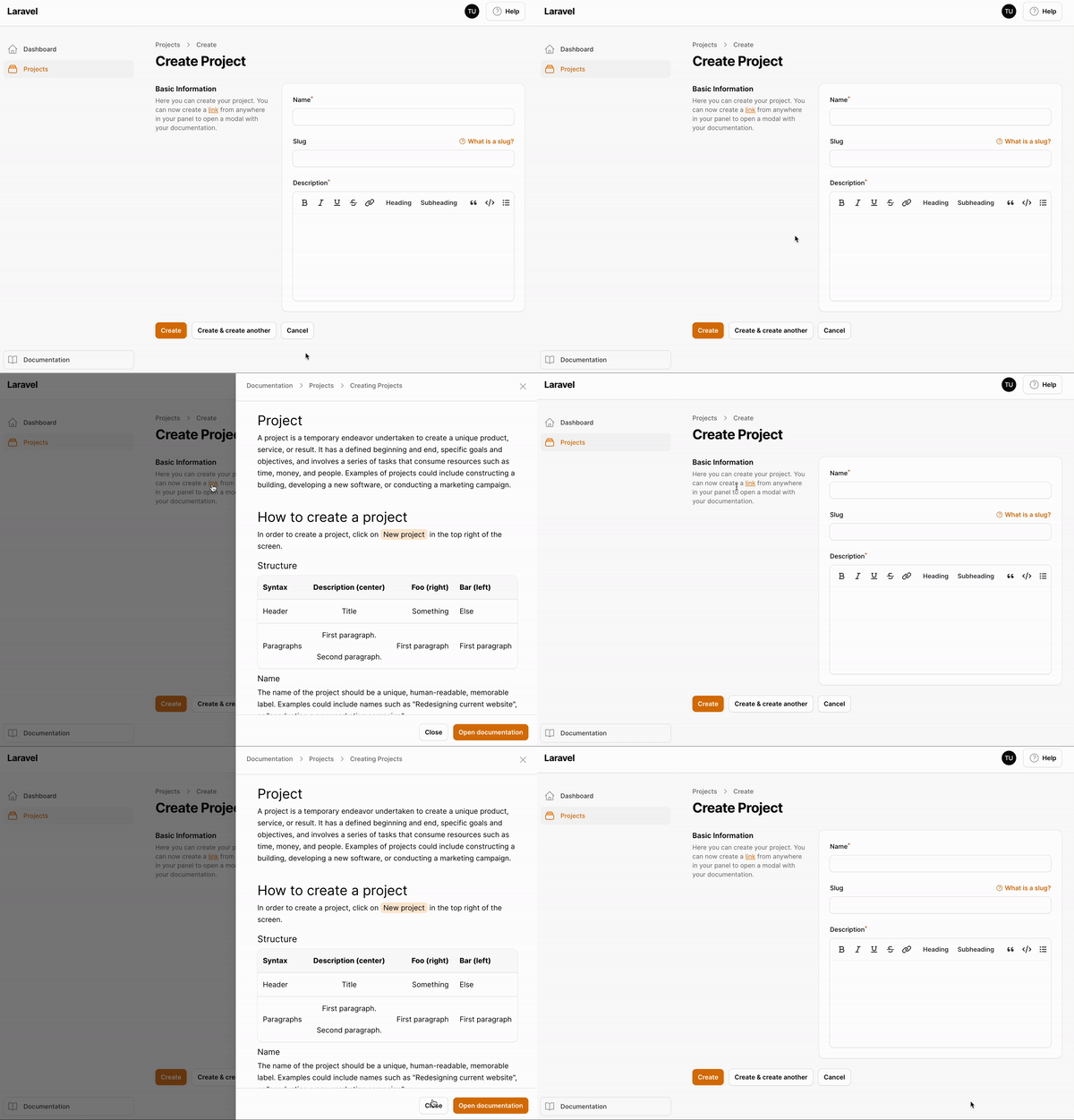
Disabling modal links
If you don't want the link interception:
$plugin->disableModalLinks();